Loading product tour…
Product Tour
Explore how Visits, Templates, and Nexi AI work together — with real screenshots from the NexiumCare EHR. No login required to browse this tour.
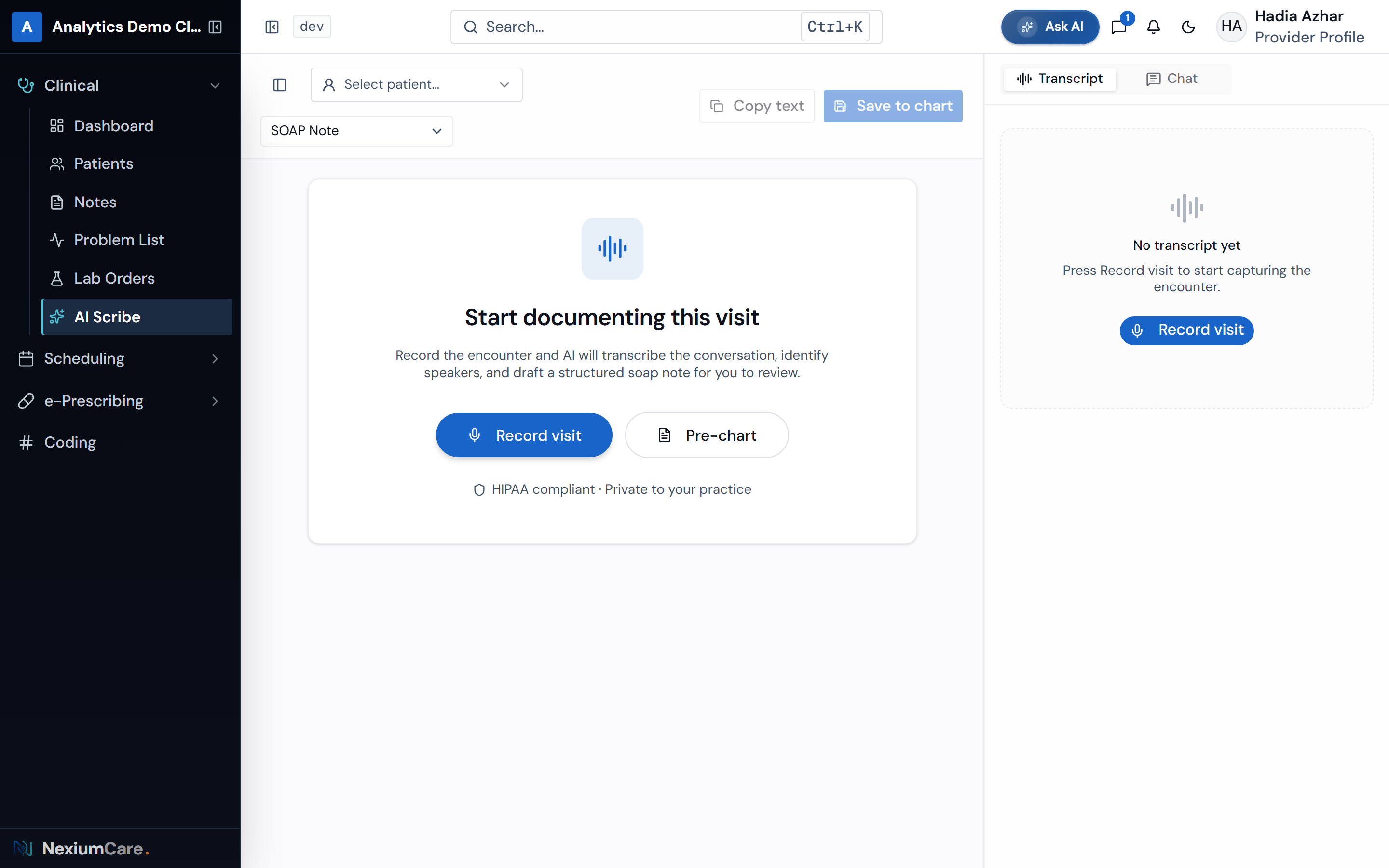
Visits are how NexiumCare documents patient encounters. Start a scribe session from Nexi AI Scribe or a clinical note, record the conversation in real time, and generate a structured note you can review, edit, and sign.
Start a visit
Open Nexi AI Scribe, choose a patient, and pick a note template. You can also launch scribe from an open clinical note.
Record the encounter
Speak naturally in the exam room, on telehealth, or while dictating. Live transcription captures the conversation with speaker labels.
Generate the note
NexiumCare turns the transcript into structured sections — chief complaint, HPI, assessment, plan, and more — based on your template.
Review and sign
Edit sections directly or ask the in-note assistant to refine wording. Save to the chart and sign when ready.
Ambient transcription
Live speech-to-text with optional speaker diarization during the encounter.
Structured output
Notes follow your chosen template so documentation stays consistent across providers.
In-note AI edits
Ask for rewrites, add sections, or tighten the plan without leaving the editor.
Chart-ready
Signed notes land in Clinical Notes and are available in the patient chart and portal.
Templates define how notes are written. Visits (Nexi AI Scribe) listen and draft documentation from real encounters. Nexi AI helps with everything else — schedule, charts, billing, and day-to-day questions — without leaving NexiumCare.
Templates
Structure every note
Visits
Capture & generate at the point of care
Chat
Ask NEXI AI anything your role allows

Start free — no credit card required. Set up in under 5 minutes.